Adding portal slots
Advanced
So, you want to add more slots to the teleporter menu?
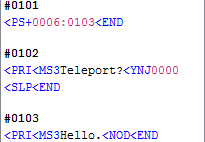
If you haven't already, you should really learn how the teleporter menu works.
Alright, so the first thing we need to do, is go to the "StageImage" picture in the data file.
This picture contains the teleporter menu pictures:

Now, if you would want to add another picture, just put it 2 pixels after the last one.
Like this:

It doesn't need to look like the others, you can make it look however you want.
Just be aware, that there is a 2 pixel space between the pictures, and the pictures themselves are 29x14 pixels.
Don't mess with the white space to the left of the first one.
Now that you have your picture, the next thing you should do, is go edit the StageSelect.tsc file and add a new event.
My new slot is the 6th one, so we need to make an event #1006:
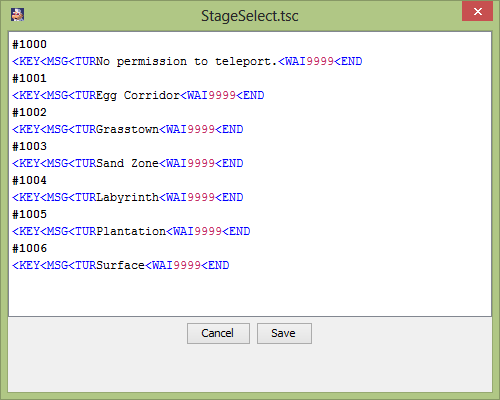
Now, all I need to do is put in the PS+ command for it, remember it's the 6th slot:
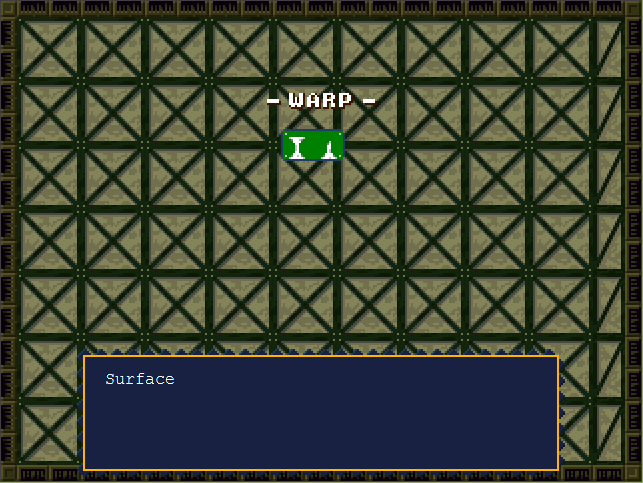
There's enough space in the "StageImage" picture to put in 2 more portal slots at the end, but if you want more slots
you can just increase the canvas size.
Previous Lesson: npc.tbl
Next Lesson: The hex patcher