npc.tbl
Advanced
So, did you you ever want to edit something, like a bosses health, or how much exp an enemy drops?
Well, you can! With the built-in npc.tbl editor.
You can find it in entity mode, to the right of the cat picture.
Alright, let's take a look:
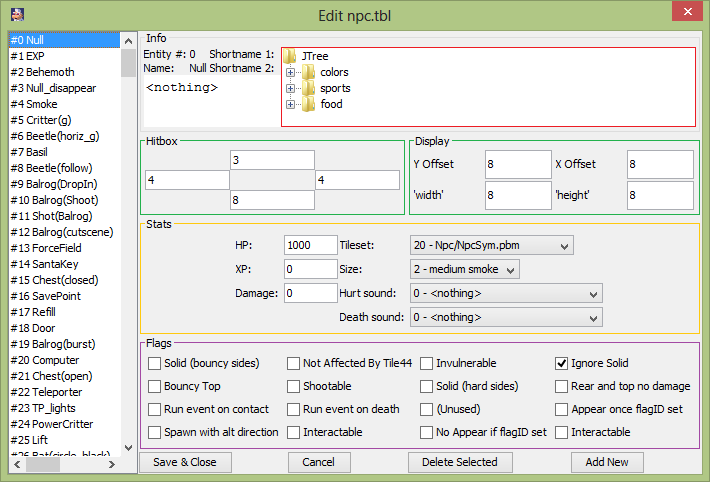
Info
I'll be honest, I really don't know what those folders are for, or what they even do.
Hitbox
Determines how big the hit box is.
Display
Determines, where your entity is displayed, from the actual entity.
Stats
HP
XP
Damage
Tileset
Size
Hurt sound
Death sound
Flags
These are the entity flags, however these are sort of "global entity flags".
If you set a entity flag for an entity in the npc.tbl, then that flag will be automatically set for all entities of that type,
whenever you place them.
For example, The Santa entity(#40) has the "Ignore solid" flag set here.
So all Santa entities placed, will automatically have this flag.
(This would make him go through all solid tiles)
(But this entity was never programed to have "gravity" in a sense, which is why he doesn't just go through the floor)
Previous Lesson: Npc sets
Next Lesson: Adding portal slots