SLP and PS+
In-depth review
Base descriptions:
SLP
PS+WWWW:XXXX
SLP will show you the teleporter menu from Arthur's house
But you can use this command anywhere.
Now when you first open up the teleprter menu, you'll see something like this:
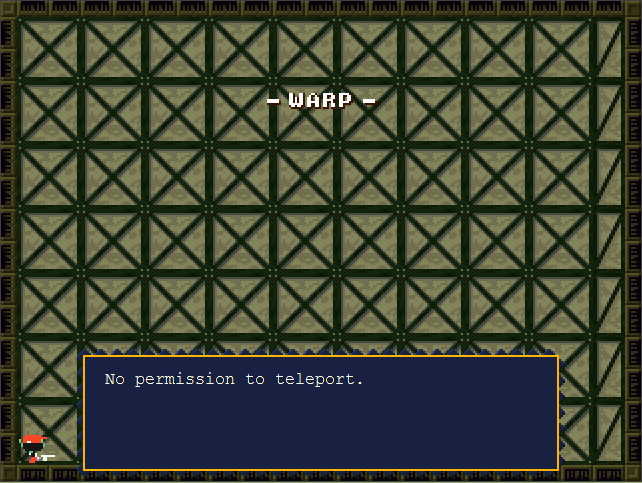
You need to add teleporter slots to make use of this command.
PS+ is the command used to add teleporter slots to the menu
Here's an example:
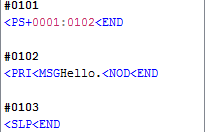
Now, this will add the "Egg Corridor" slot to the menu:
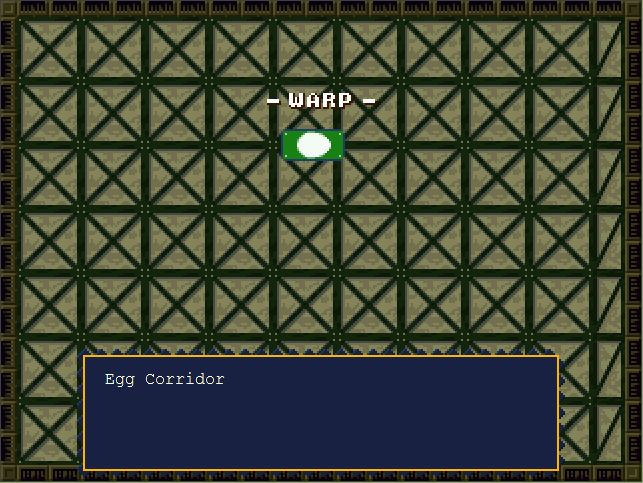
However, this won't take you to the Egg Corridor.
Instead, choosing this will show a message box displaying "Hello."
Why? That's because we set the first teleporter slot to run event #0102 with the PS+ command.
Let me explain something real quick, if I were to use the SLP command in a different map,
My PS+ command would make it run event #0102
Hey, while we're here, let me show you an example of a teleporting animation:
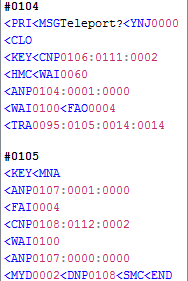
Alright, let's go through this, step by step:
When event #0104 is ran, a message box will say "Teleport?" with a Yes / No jump.
1. If the player chooses "Yes" then the game will go to the next command, which closes the message box.
2. The player is then put into a "Key Lock" and a Null entity with event # 106 is changed to the Quote(TeleOUT) entity.
3. Next, the game makes the player invisible and waits for 60 ticks.
4. After that, the teleporter with event #0104 is animated to show the teleporter light.
5. Game waits another 100 ticks to let the full animation show, then it fades out and the player is brought
to a different map.
In my example however, the player is actually brought to the exact same map, just a different location.
The TRA command, has the game run event #0105, so let's have a look at that:
1. The player is put into a "Key Lock" and is shown the map name.
2. Then the other teleporter with event #0107 is put into the "teleporter light" animation, before the screen fades in.
3. After that, another Null entity with event #0108 is changed, this time into the Quote(teleIN) entity.
4. Have the game wait 100 ticks to show the full animation... and then, the game makes the player face right.
5. Lastly, the game puts the teleporter into its "default" scriptstate to turn off the teleporter lights, and deletes the
Quote(teleIN) entity, then reveals the player character again.
Here's a picture, showing how I placed the entities on the map:
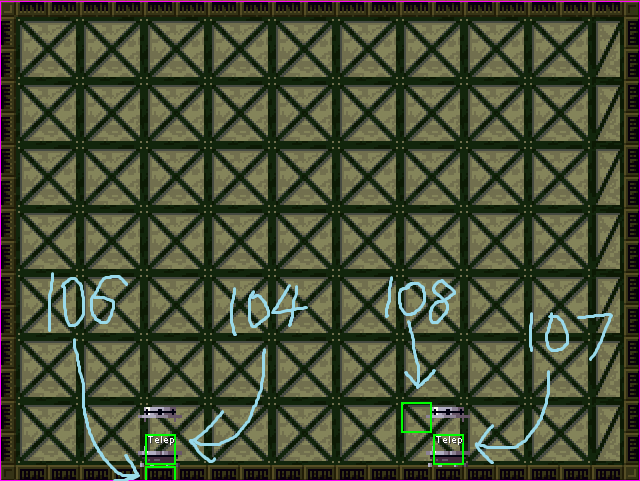
For some reason the Quote(teleOUT) entity spawns 1 tile above, where it's placed on the map.
The Quote(teleIN) will spawn 1 tile to the right, and down, from where it is placed.
Previous Lesson: BSL and BOA
Next Lesson: TRA and MOV