MSG, MS2, and MS3
In-depth review
Base descriptions:
MSG
MS2
MS3
These commands are used, whenever you want to display text in the game.
Just type in whatever you want to display after the command.
The only differences between these commands are how they display the message box.
*Note, for MS2, all it does is remove the box around the text.
FAC pictures and text will still appear normally.
Some things about message boxes you may want to know about:
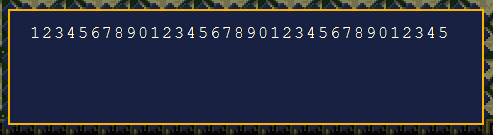
one line in a regular message box is 35 characters long.
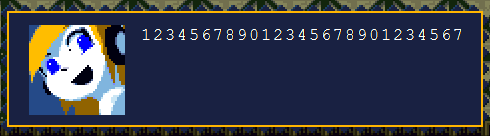
A picture with a FAC picture has 27 characters per line.
The text won't break off until 35 characters, so after 27 the text actually goes off the message box.
The game automatically puts a line break after 35 characters(Including messages with a FAC pic)
If you ever see something like this in your MSG commands:
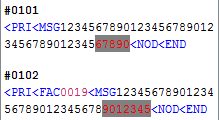
(The highlighted text)
This tells you that you have exceeded the amount of space on that line.
Previous Section: PRI and KEY
Next Lesson: FAC, NOD, CLR, and CLO