Loading up your game
Beginners
Yes, the first part of the guide is litteraly about setting up Boosters Lab
When you first try to open up Boosters Lab, it may show you some license thing.
Don't worry too much about it, just click "I accept" and you should be fine.
Now just go to the file tab in the top left corner and go to load.
Now find the folder which contains the copy of Cave Story that you would like to edit.
Click on the Doukutsu.exe to load it up to Boosters Lab.
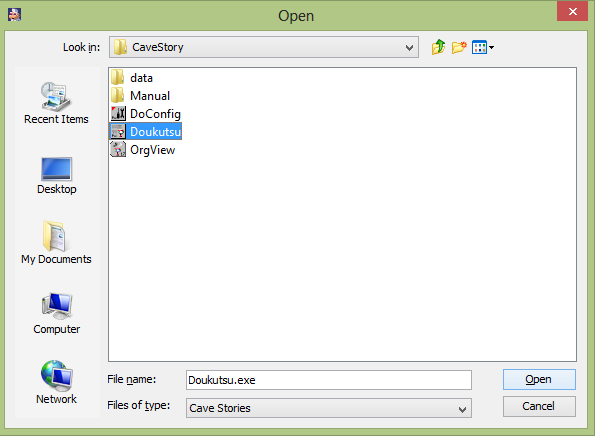
Don't bother with "Orgview" and "DoConfig" Boosters Lab can't load either of those.
Now, if you are loading up a fresh copy of Cave Story, Boosters Lab automaticaly removes the Pixel(c) requirement and
also changes all the pbm's in the data folder to bmp's.
(I'll go over what those exactly do in a later lesson)
*Let me make this clear, when people refer to a fresh copy of Cave Story, they mean a copy that has not been changed
by an editor.
If you've already played the game and have a save file and all that, IT IS STILL CONSIDERED FRESH.
Previous Lesson:
Next Lesson: Creating a map