Face
Editing assets
This lesson, is on how to edit and add your own custom FAC pictures.
Alright, so you want to change up the FAC pictures?
Well, just go into the data folder, right-click the Face picture, and it'll show you something like this:
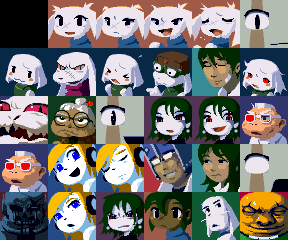
You can edit these pictures however you want:

Save, and the changes are made to the game:
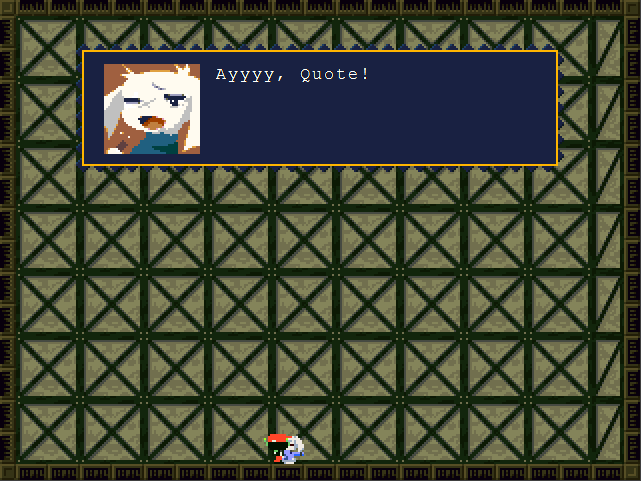
You can edit these pictures slightly, or change them completely, just know that every picture is 48x48 pixels.
So just make sure that you don't acidentally draw into the other pictures.
I would recommend you not edit the blank picture in the top-left corner, that is FAC0000, used to remove the current FAC
picture from the message box
Ok, so either you've run out of space, or want to leave the old FAC pictures, but still want to add your own.
How would you increase the amount of FAC pictures?
It's actually as simple as increasing the cavas size:
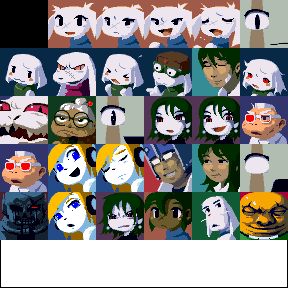
That new space I just added, is enough for a whole nother row of FAC pictures.
Now, since the picture of Ballos is FAC0029, if you were to add a new picture to the first new slot.
Then that new picture, would be FAC0030, then the one next to it would be FAC0031, etc
Something to note, the game will only go up to 128 FAC pictures(including the blank one).
After 128, the game will just stop reading the pictures.
Previous Lesson: Mychar
Next Lesson: Tilesets